



Your team won't fill out
another survey.
So let them tap one emoji instead.
After any meeting, AI turns those taps into a clear read on how things landed - no accounts, no forms.
Free plan available·No card required·Cancel anytime
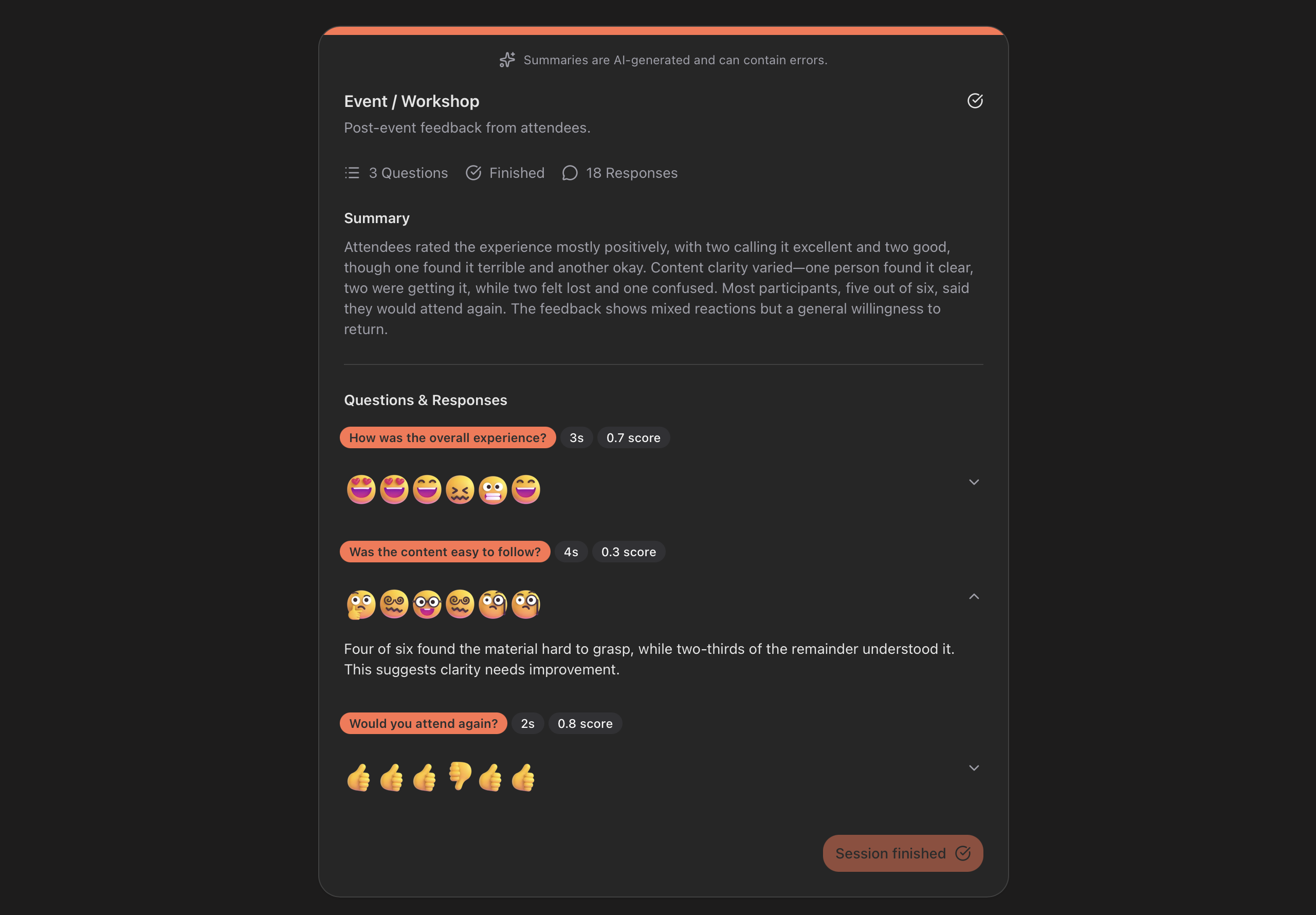

What you actually get back
When the session ends, AI reads the room for you.
Team Sync - 12 responses. Positive but uneven. The roadmap update landed well (9 thumbs up, fast taps). But "how's your workload?" came back split - 4 neutral, 3 frustrated - and slower to answer than anything else. Possible burnout on the launch team; worth a check-in this week.
Not just counts - a read you can act on.
See what your team sees
This is what participants see on their phone. One tap, done.
How it works
Three steps. Thirty minutes. Done.
Create a feedback session
Add your questions and customize. Takes under a minute.
Share the code
Participants join with a simple code, link or QR scan. No signup needed.
Get insights
View real-time results and get an AI-powered summary when the session ends.
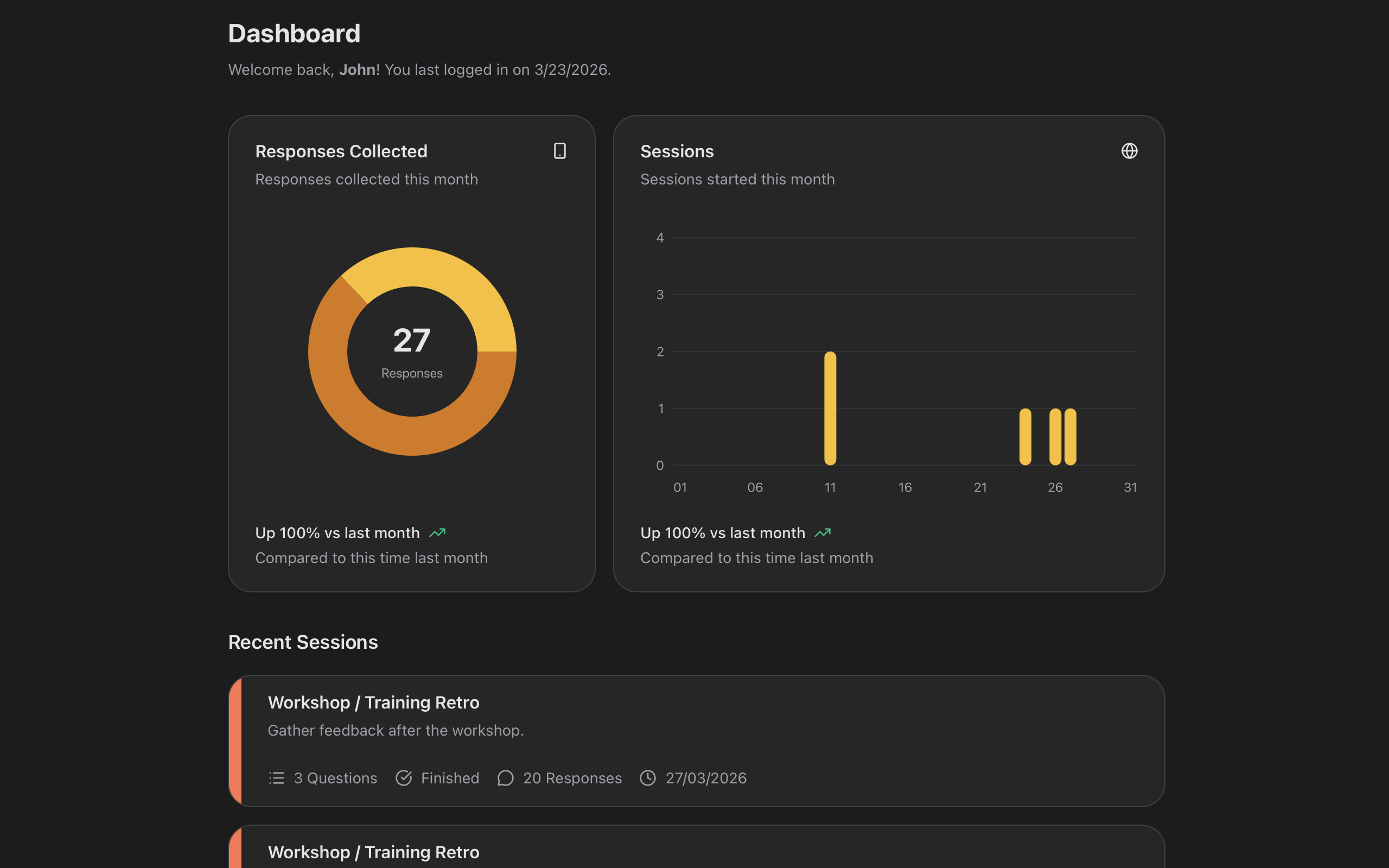
Feedback that's simple to give, easy to act on
Every feature exists to get you honest team signal - fast.
AI-powered summaries
When the session ends, AI turns the taps into a clear, written read you can act on.
Sentiment per question
On the Business plan, every response carries a sentiment score, so you see the mood behind each question - not just the count.
Real-time results
Watch responses come in live as your session runs. See the pulse of your audience instantly.
Time-to-answer
Spot hesitation, not just the tap. See how long each question took to answer.
Anonymous by default
Responses aren't tied to a name or email. Honest signal, not a name-and-shame.
Zero friction to join
No accounts, no downloads. Participants join with a code or QR scan and respond instantly.
Emoji-based responses
Animated emojis with haptic feedback make responding feel engaging - not like filling out a form.
QR code sharing
Display a QR code on screen during meetings, talks, or classes. Scan to join in seconds.
30-minute sessions
Time-boxed by design so feedback stays fresh and focused. No survey fatigue.
Works after any meeting that matters.
A 30-second read, right when it counts.
- After your weekly sync
- After a sprint or project wraps
- After a hard all-hands
- After onboarding someone new
Simple pricing
Start free - upgrade anytime.
For trying QuickBack out
- 3 sessions per month
- 3 questions per session
- 15 participants per session
- AI summary with per-question breakdowns
- Time-to-answer per question
For solo leads trying it out
- 20 sessions per month
- 5 questions per session
- 35 participants per session
- AI summary with per-question breakdowns
- Time-to-answer per question
- 5 days free trial
For teams who run this every week
- 50 sessions per month
- 10 questions per session
- 50 participants per session
- AI summary with per-question breakdowns
- Time-to-answer per question
- Sentiment score per question
- Summary emailed after each session
- 5 days free trial
Cancel anytime·14-day money-back·Participants stay anonymous
Need to upgrade, downgrade, increase certain limits or change billing period? Contact us
Frequently asked questions
Does my team need to create an account?
No. Team members join by entering a short session code or scanning a QR code. No signup, no app download - they tap a response and go.
Are responses anonymous?
Yes. QuickBack is anonymous by default. Participants don't need to sign in, and responses aren't tied to a name or email. You see the team's signal, not who said what.
Why only 30 minutes?
Feedback gets stale fast. A reaction captured two hours later is a rationalization, not a feeling. Sessions close after 30 minutes so you get honest, in-the-moment responses from people who are still in the room - not polished answers written after everyone has had time to second-guess themselves.
Why is simple feedback better than a survey?
Surveys ask people to stop, think, and type - usually after the moment has passed. QuickBack uses emoji taps instead: one response per question, done in seconds, while everyone is still in the room. You get honest in-the-moment reactions, not considered answers written hours later.
What kind of questions can I ask?
Emoji-based reaction questions designed for quick, honest responses. Templates are available for all-hands, demos, team check-ins, classroom moments, and post-event reactions - get started in under a minute.
How does the AI summary work?
After your session ends, our AI analyzes all responses and generates an actionable summary with per-question breakdowns and time-to-answer metrics - included on every plan, even Free. The Business plan adds sentiment analysis and email delivery.
Is there a free plan?
Yes. The Free plan lets you run 3 sessions a month with AI summaries, at no cost and no card required. Pro and Business add higher limits and more features, and both include a 5-day free trial.
What happens to my data after a session ends?
Your session answers are accessible from your dashboard. You can review past results and AI summaries anytime.
Can I cancel my subscription anytime?
Yes. You can cancel or change your plan at any time from your account settings.
Know what your team thinks - after every meeting
Start free. Run your first team session in under a minute.